
Multi-location onboarding integrates employees across facilities, improving productivity, consistency, and retention. Challenges include differences in compliance requirements, resource gaps, and communication issues. Best practices include automation, unified branding, standardized centralized systems, strong communication, and regular audits to ensure alignment, compliance, and high-quality onboarding experiences across all locations.
Key Takeaways
- Multilocation onboarding reduces the time-to-productivity for new hires while providing a consistent experience for employees in various locations
- Communication issues, resource disparities, and varying compliance regulations are the common problems in multi-location onboarding
- Employee onboarding software automates onboarding tasks and centralizes training delivering, allowing for a consistent experience across locations
- A good multilocation training plan should cover core organizational policies, location-specific, and role-specific training areas
A structured, consistent onboarding process makes it easier for facilities with distributed healthcare teams to provide a uniform new-hire experience. Such consistency improves retention and facilitates patient satisfaction regardless of the location they visit.
What is Multi-location Onboarding, and Why is It Important?
Multi-location onboarding is the process of integrating new employees across multiple facilities. Onboarding new employees is important for all healthcare facilities because it gives new hires time to acclimate to the environment and role as they become productive.
This process has several benefits, including:
- Reducing the time-to-productivity by ensuring new hires have the tools, resources, and support they need to succeed
- Providing a consistent onboarding experience across different locations. This strengthens cultural integration while aligning all employees with your brand, regardless of their physical location.
- Reducing employee turnover by keeping new hires engaged from day one, regardless of their location. Early employee retention also benefits by reducing the costs of recruiting replacement staff.
What are the Key Challenges of Onboarding in More than One Location?
Compliance is a major challenge when onboarding employees in different locations. While federal regulations in healthcare, such as HIPAA, apply to all healthcare facilities, states and local governments may have varying requirements.
These variations include:
- Different employment laws, such as minimum wage and overtime limits
- Stricter regulations (as in the case of California data protection laws)
- Varying licensing and scope-of-practice regulations for each role
These differences also affect onboarding tasks such as credentialing and compliance training.
Resource variations also affect the quality of onboarding programs. Different locations have different time, money, and expertise to invest in onboarding, resulting in different experiences for new hires.
Communication issues between locations can also affect the consistency of onboarding programs.
How Can Employee Onboarding Software Streamline the Onboarding Process Across Many Locations?
Automation is one way to improve how you onboard integrated teams, making sure every new hire has the same experience regardless of their location. Onboarding software solutions, such as ops.work, automate repeatable onboarding tasks, reducing onboarding time and costs.
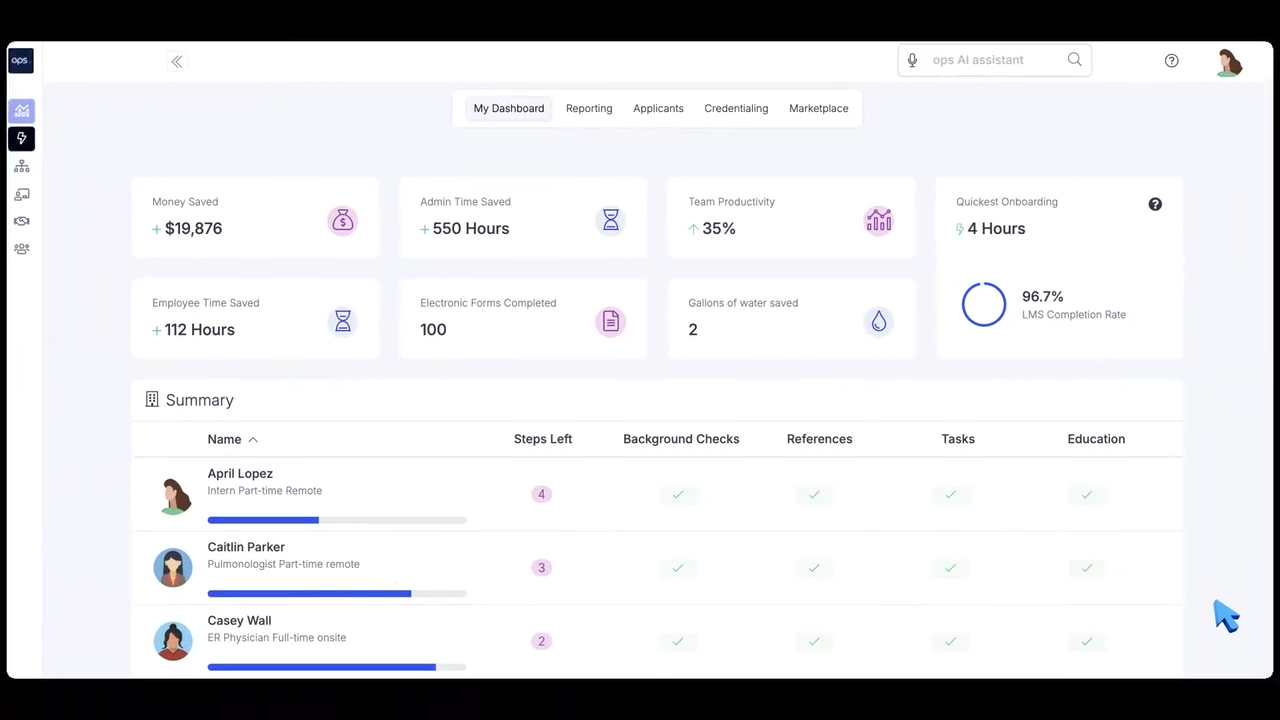
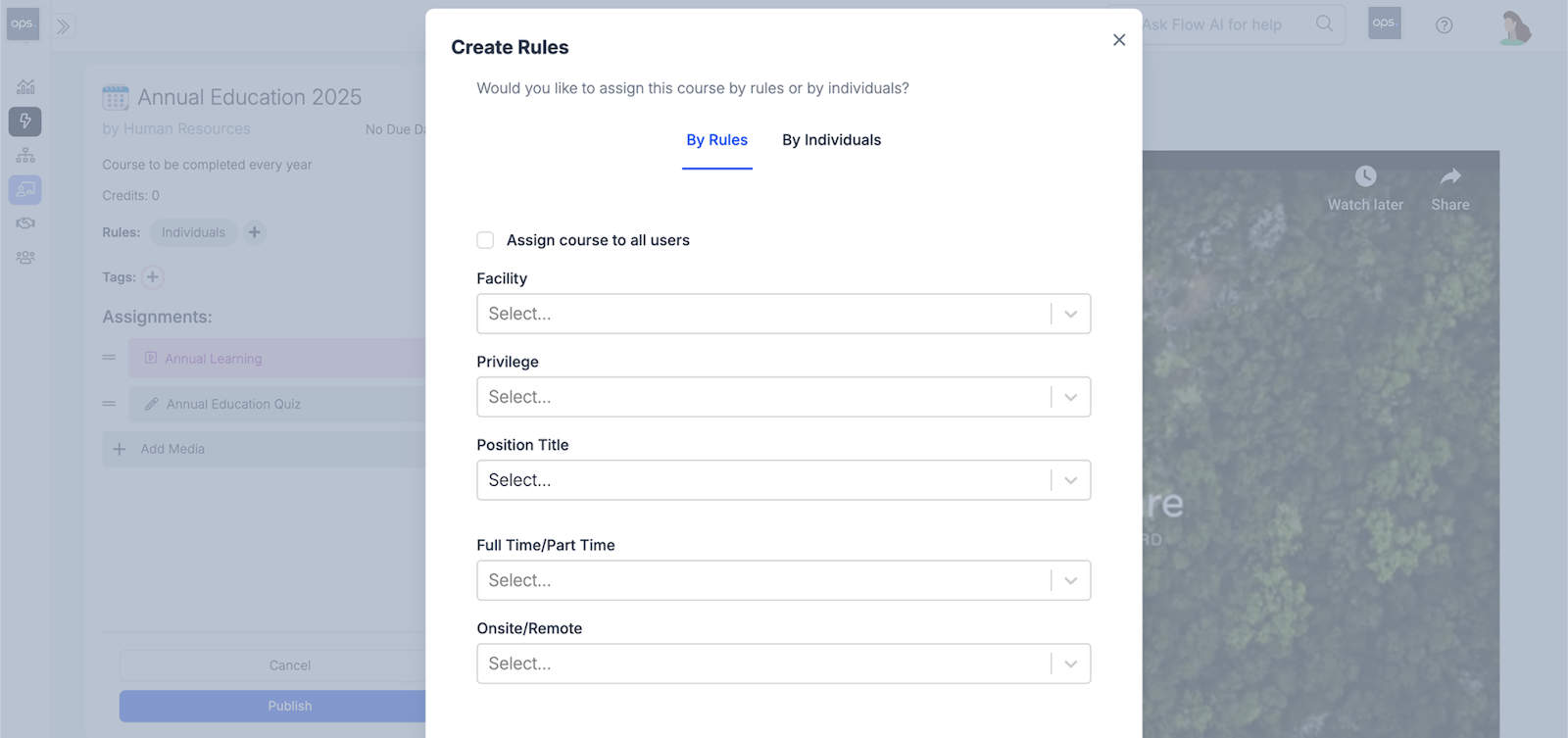
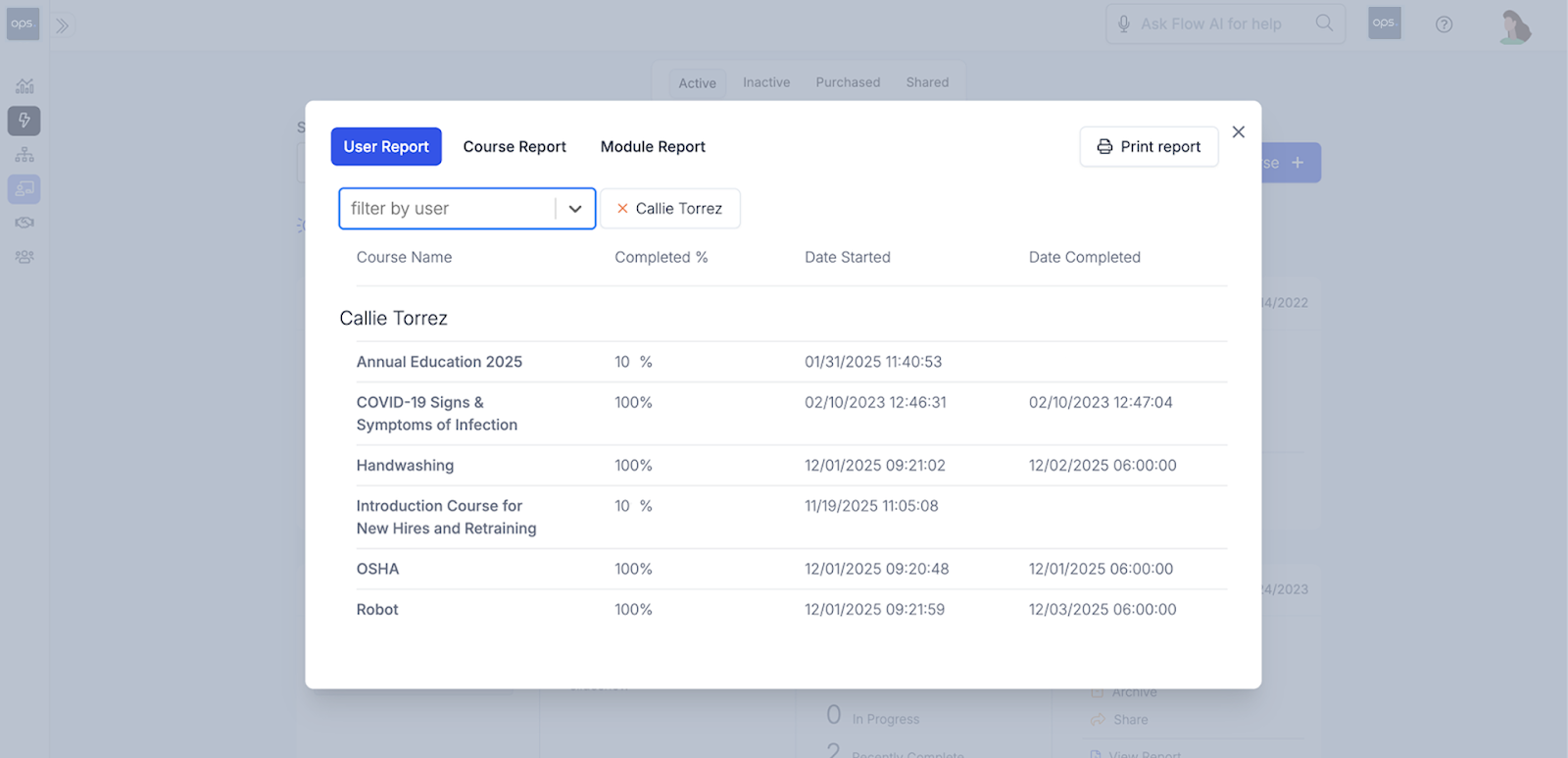
Here are some of the functionalities in ops.work that make it suitable for onboarding and managing distributed teams:
Comprehensive dashboards that allow full visibility into your processes
Centralized LMS features that allow you to create and share training resources with various facilities
Reporting and analytics features to track completion rates and onboarding ROI
Role-based access controls and provisioning to ensure administrators across various offices can access the data they need
What Should an Effective Training Plan Include for Teams in Multiple Locations?
Training is a major component of the onboarding process that begins shortly after the new employee reports for their first day and continues throughout their stay in the organization. Training must be consistent across all locations to ensure all your employees have the right skills for their roles. Here are the key steps when planning training for new hires:
- Conduct a tiered training needs assessment. The first tier should cover the general company-wide training that each employee receives. The second tier should address location-specific needs, and the third tier should be for role-specific training needs.
- Identify the relevant federal, state, and local healthcare training requirements for every location. This informs the areas that your courses cover and ensures compliance across each new location.
- Create core training modules for uniform training areas, including HIPAA compliance, the company code of conduct, and Standard Operating Procedures (SOPs).
- Create an L&D team that keeps up with regulatory and policy changes to update courses and provide additional training sessions to address new regulatory or procedural changes.
What are the Onboarding Best Practices for Multi Location Facilities?
The goal of onboarding is to help new hires feel connected to their role and the organization, no matter which location they're in. Here are some tips to improve how you onboard distributed and local teams:
- Clarify your brand standards
Brand guidelines or standards refer to how you represent your facility to the world. Standardized guidelines are essential for healthcare providers running multiple offices, as they ensure consistency in patient care and experience.
A unified brand across every location also helps new team members integrate with your culture, regardless of the location. This enhances engagement, job satisfaction, and retention, while turning employees into brand champions, eventually reducing the costs of your hiring process.
- Create standardized processes and digital tools
Standardization and centralization are critical to the success of multi-facility onboarding systems. Start by creating a standardized onboarding workflow for the whole organization. The 30-60-90-day template works well for all facilities while allowing customization for every site.
In addition to consistent processes, use the same tech stack for all your facilities. This reduces the administrative burden for your HR teams by providing full visibility into employee records regardless of location.
Some tools to adopt across all facilities include HRIS, task management software, team collaboration and communication tools.
- Invest in a unified communication platform across all locations
Seamless communication across various locations allows collaboration among distributed teams, improving how you onboard new employees. Through these unified channels, managers can share best practices and challenges, improving the experience every new hire receives at each location.
- Conduct regular onboarding audits per location
Regular audits provide visibility into business outcomes, onboarding consistency, and efficiency, ensuring each location aligns with the standard guidelines. Audits also facilitate compliance across different facilities, protecting your businesses from legal, financial, and reputational risks of non-compliance.
Conclusion
Streamlining multi-facility employee integration requires a deliberate focus on consistency, compliance, and communication across all facilities. You can overcome common challenges of onboarding distributed teams through standardized processes and automation. Ops.work is a scalable software that enhances onboarding and training delivery across different locations. Get started with our free plan to manage your distributed teams better.
References
Berggren, Amy, et al. “Standardized Onboarding Increases Intention to Stay with the Organization.” The Journal of Nurse Practitioners/The Journal for Nurse Practitioners, vol. 20, no. 6, 1 June 2024, pp. 105011–105011, https://doi.org/10.1016/j.nurpra.2024.105011.
Cable, Daniel, et al. Reinventing Employee Onboarding. 2013.
Field, Robert I. “Why Is Health Care Regulation so Complex?” Pharmacy and Therapeutics, vol. 33, no. 10, Oct. 2008, p. 607, pmc.ncbi.nlm.nih.gov/articles/PMC2730786/#sec1.
Frequently Asked Questions
A 30-60-90 onboarding checklist breaks down the onboarding journey into manageable milestones. While all stages (preboarding (before day one), orientation (first week), training, and ongoing support) remain the same, the activities vary by facility. For instance, compliance training materials vary by location, as do reporting and supervisory requirements for new hires based on their roles.
Metrics such as time-to-productivity, first-year retention rates, and training completion rates for each location to determine the impact of your efforts. Where differences arise between locations, you can use this data to identify solutions to improve onboarding.
You can maintain consistent training across locations during onboarding by using a centralized LMS platform to deliver the same materials to your branches.
The five components of an effective onboarding process include regulatory compliance, integration with the company's culture, healthy connections with colleagues, employee confidence in their capabilities, and clarity about their responsibilities.
A structured onboarding program consists of four stages: preboarding, employee orientation, training, and ongoing support.