
Onboarding automation uses technology to streamline and enhance the employee onboarding process, improving efficiency and reducing manual tasks and errors. Effective automation involves selecting the appropriate onboarding software that integrates with HR systems, mapping the entire onboarding process, and creating checklists for thorough task completion. Technologies like ops.work facilitate various onboarding tasks, including sending welcome emails, managing credentialing, and automating training and feedback processes.
Key Takeaways
- Automating onboarding processes allows for faster task completion and improved accuracy in tasks such as background checks and employee profile creation
- Design workflows for different onboarding tasks to maintain consistency and compliance
- Tools like ops.work allow HR teams to automate processes like credentialing, ensuring that new hires have a smooth transition into their roles
- Feedback collection helps improve future onboarding processes
Onboarding goes beyond filling paperwork and giving new employees a tour of your facilities. It involves providing a positive employee experience to ensure new employees feel welcome, appreciated, and have everything they need to succeed in their roles.
Automating the onboarding process sets the tone for employee productivity by providing a positive first impression to new hires and streamlining administrative tasks for your HR team.
What is Onboarding Automation?
Onboarding automation is the use of technology and digital tools to eliminate manual processes and reduce human intervention, thereby minimizing errors. Automated onboarding is more efficient, cost-effective, and impactful in delivering a positive first impression to new hires.
What are the Benefits of an Automated Onboarding Process?
Automating your employee onboarding process benefits new employees and administrative staff. It helps your HR team complete manual tasks more efficiently while reducing issues caused by human errors.
HR automation tools, such as ops.work, cut down on the time and money you spend on onboarding tasks, whether it's running background checks or creating employee profiles.
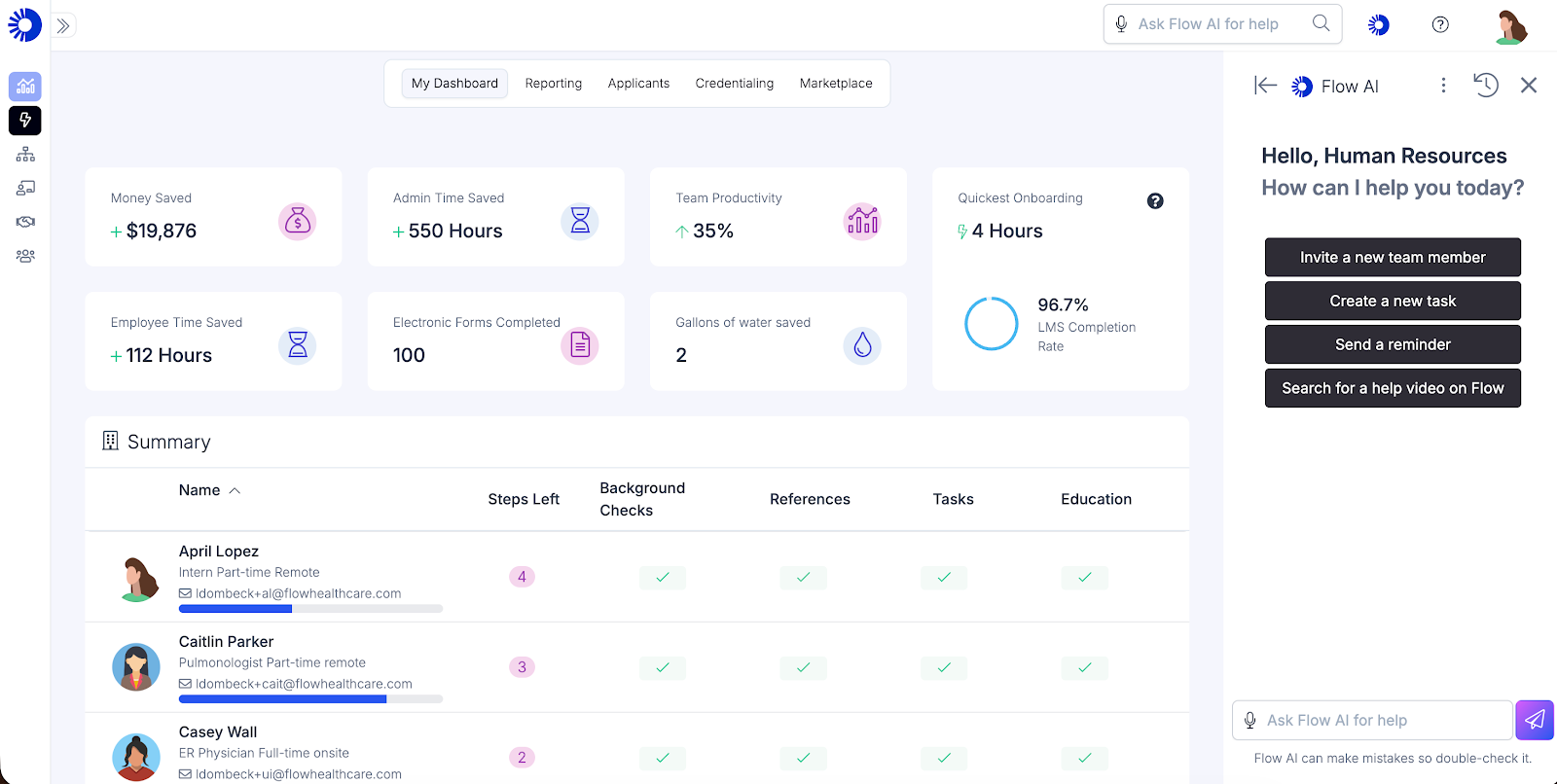
Automating employee onboarding also:
- Creates a positive new hire experience
- Facilitates compliance through standardized workflows, ensuring each new hire gets a consistent onboarding experience regardless of their position.
- Improves employee engagement, productivity, and retention
- Facilitates collaboration between the HR department and other units involved in onboarding, such as IT and the specific department where the employee is stationed. Through automation, each department has access to the tasks it is responsible for.
- Makes it easy to track each employee's progress during onboarding
What are the Best Ways to Automate Employee Onboarding?
Automation makes onboarding easier and provides new hires with a positive experience. Here are ways to automate your staff onboarding:
Choose the Right Automation Tool
The first step in automating your new hire onboarding process is finding the right onboarding software. To do this, determine your onboarding goals, tasks, and the experience you want new hires to have.
Once you've done this, you can determine the must-have features of your automation tool. Here are some features to look for:
- An easy-to-use platform for backend and front-end users
- Integration with existing HR systems
- Responsive customer support
- Custom tool for healthcare onboarding
- Cost and ROI
- Workflow automations
- Data analytics and reporting
If you're unsure which tools to use for automating your onboarding process, assess various providers and request a demo or free trial as needed. Ops.work has a free plan, which you can sign up for to get a feel of using automated onboarding platforms.
Map Your Employee Onboarding Process
Automation streamlines the onboarding process, allowing visibility into each stage of the employee journey. Before you can automate, map out the whole process, from preboarding to gathering feedback and generating onboarding reports.
Here are the common onboarding steps and how ops.work automates them:
Start by creating an onboarding plan. This plan details the roles and responsibilities of the hiring manager and employee in creating a smooth onboarding experience.
The plan should include:
- Preboarding tasks
- A checklist of activities for employees to complete on their first 30,60, and 90 days.
- Compulsory and role-based training that each new hire must complete
- A long-term employee development plan (after the first 90 days on the job)
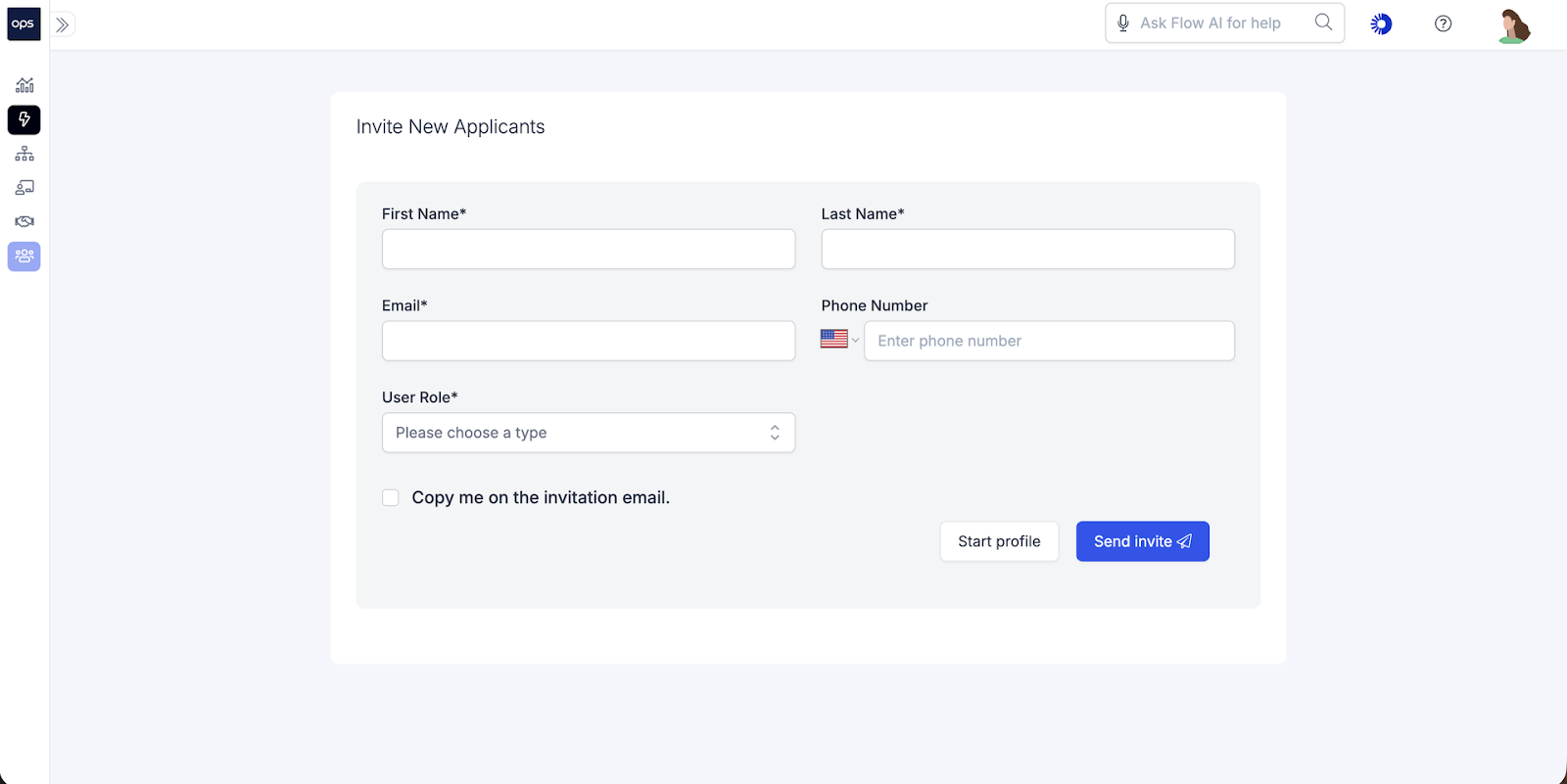
Once you have your plan, start adding new hires to the onboarding software. Ops.work is a simple automation tool that lets you invite new employees at any stage of the recruitment process.
Enter their name, phone number, email, and role on the invitation dashboard.
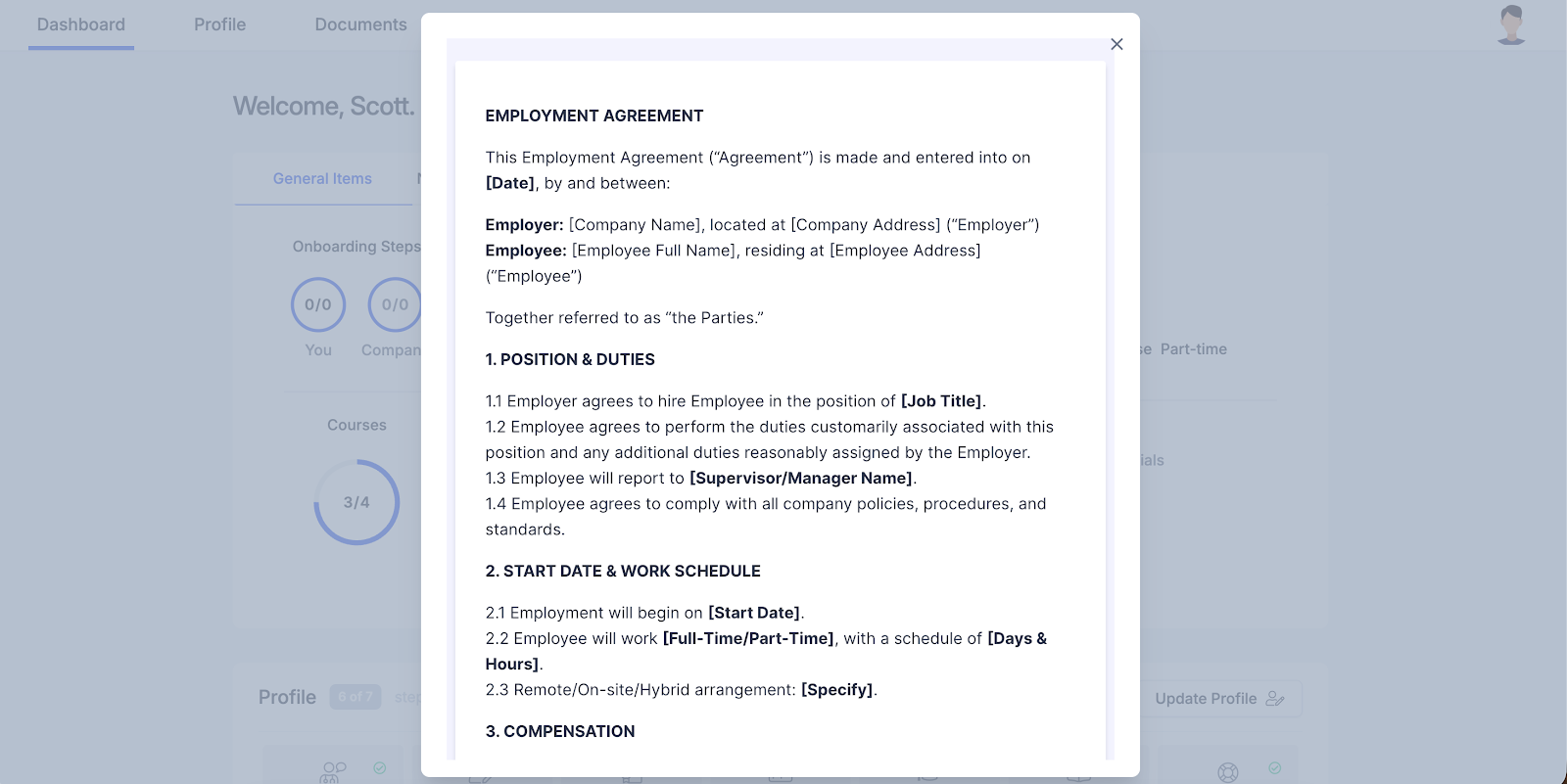
Once they've accepted the invitation, you can send them the employee contract or offer letter:
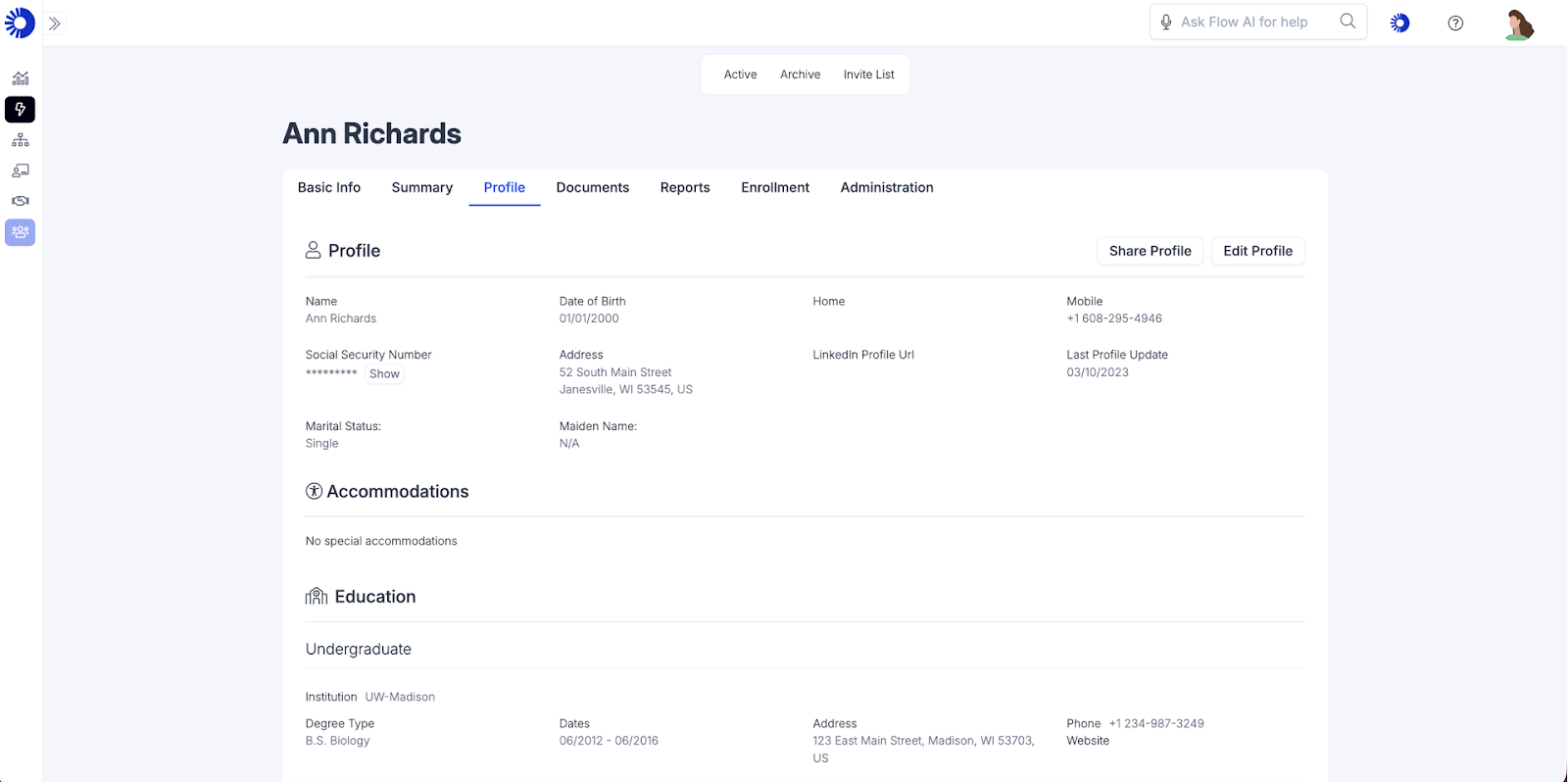
Once they accept the offer, you can edit their profile to include basic employee information, accommodations, and education details.
You can also track the documents they have submitted for credentialing and background checks, as well as administrative tasks related to each employee. Get started on your employee profiles with our free plan.
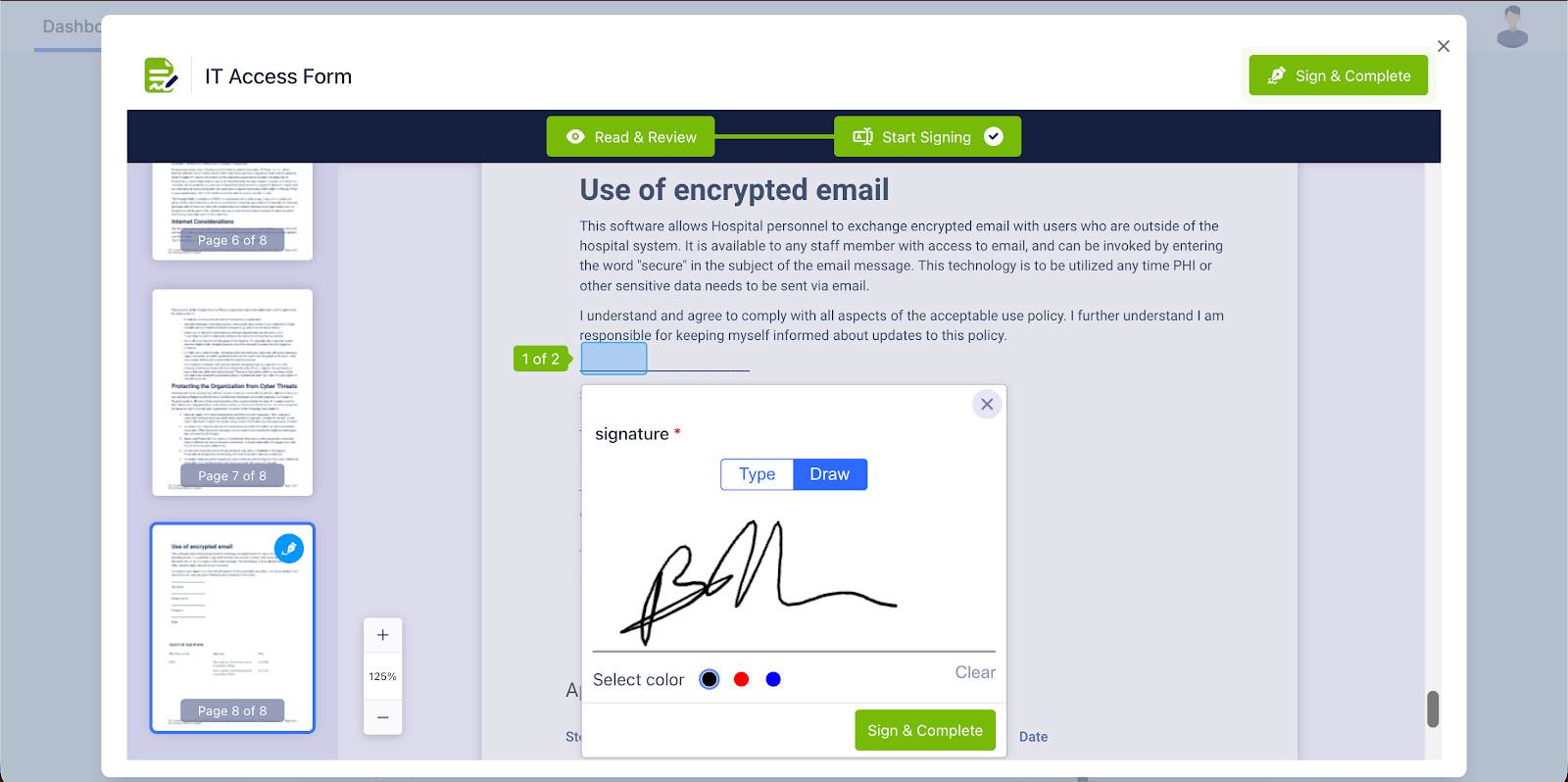
Send a welcome email and packet to the employee. As part of the email, include a list of the documents the employee is supposed to bring on their first day. With the ops.work e-signature feature, you can have them sign onboarding paperwork remotely.
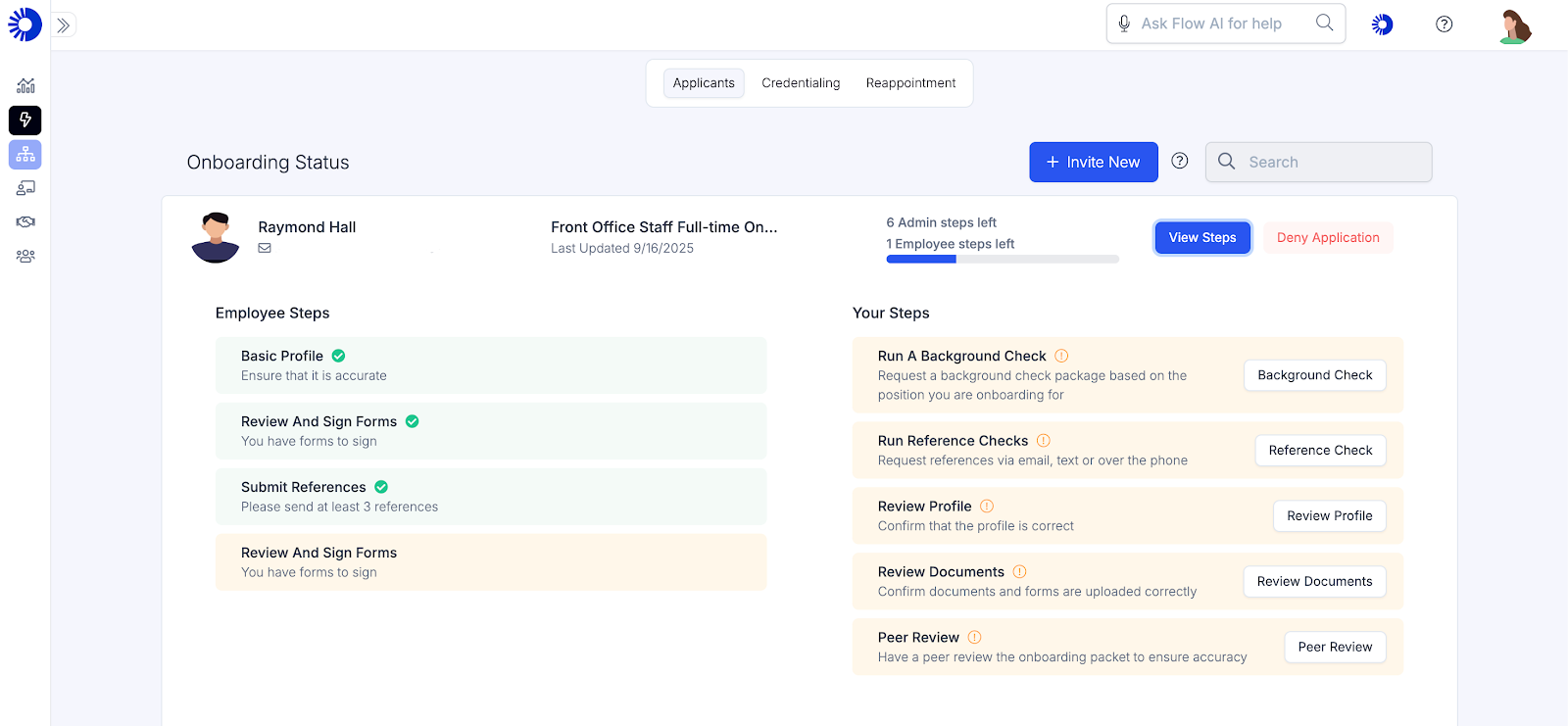
The next step in the process is credentialing new hires. For this, you can use ops.work to send a role-based list of documents each employee needs to submit. The credentialing dashboard allows you to track the progress of employee and administrative credentialing tasks.
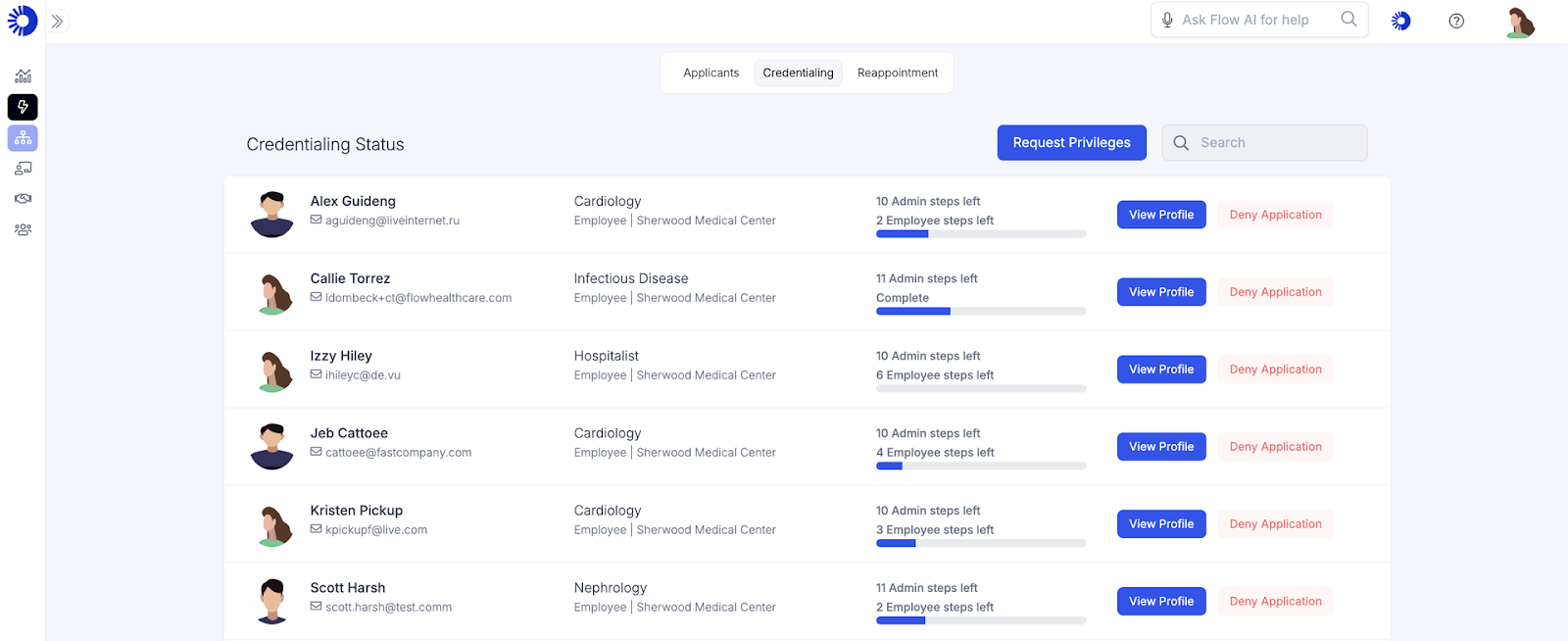
You can also track the credentialing status of each employee to ensure they meet the educational, legal, and regulatory requirements to work at your healthcare facility.
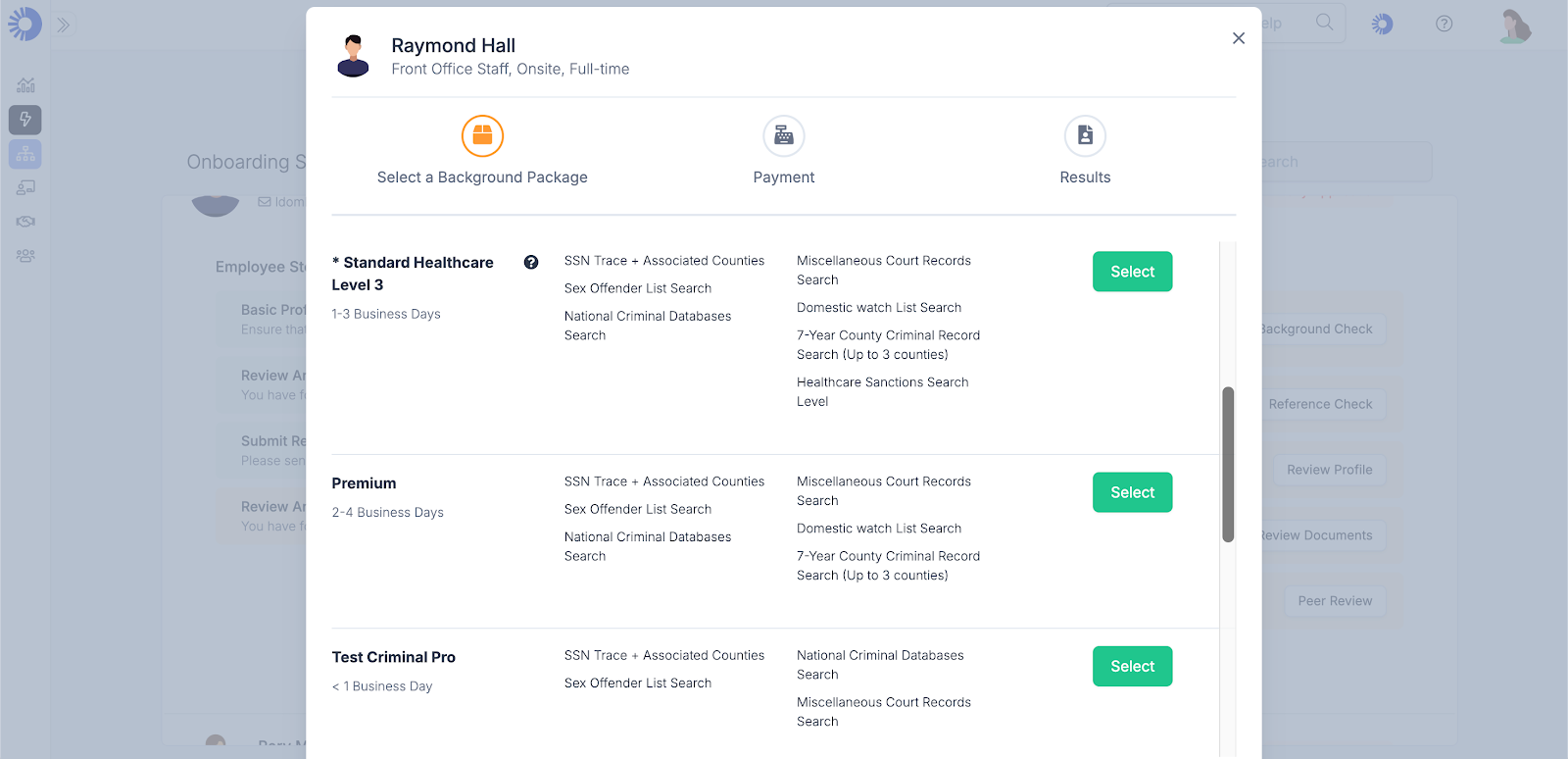
As part of credentialing, ops.work facilitates background checks tailored to the healthcare industry. In addition to verifying the new hire's identity, this background check allows you to check their criminal record and healthcare sanctions against your providers.
Training is another key onboarding activity that you can automate with ops.work. Training includes offering formal courses, peer-to-peer learning through shadowing, and mentorship.
With ops.work, you have access to a robust set of LMS features that allow you to create, purchase, edit, or share courses across multiple locations. You can create courses with our course-builder template or upload existing materials in various formats.
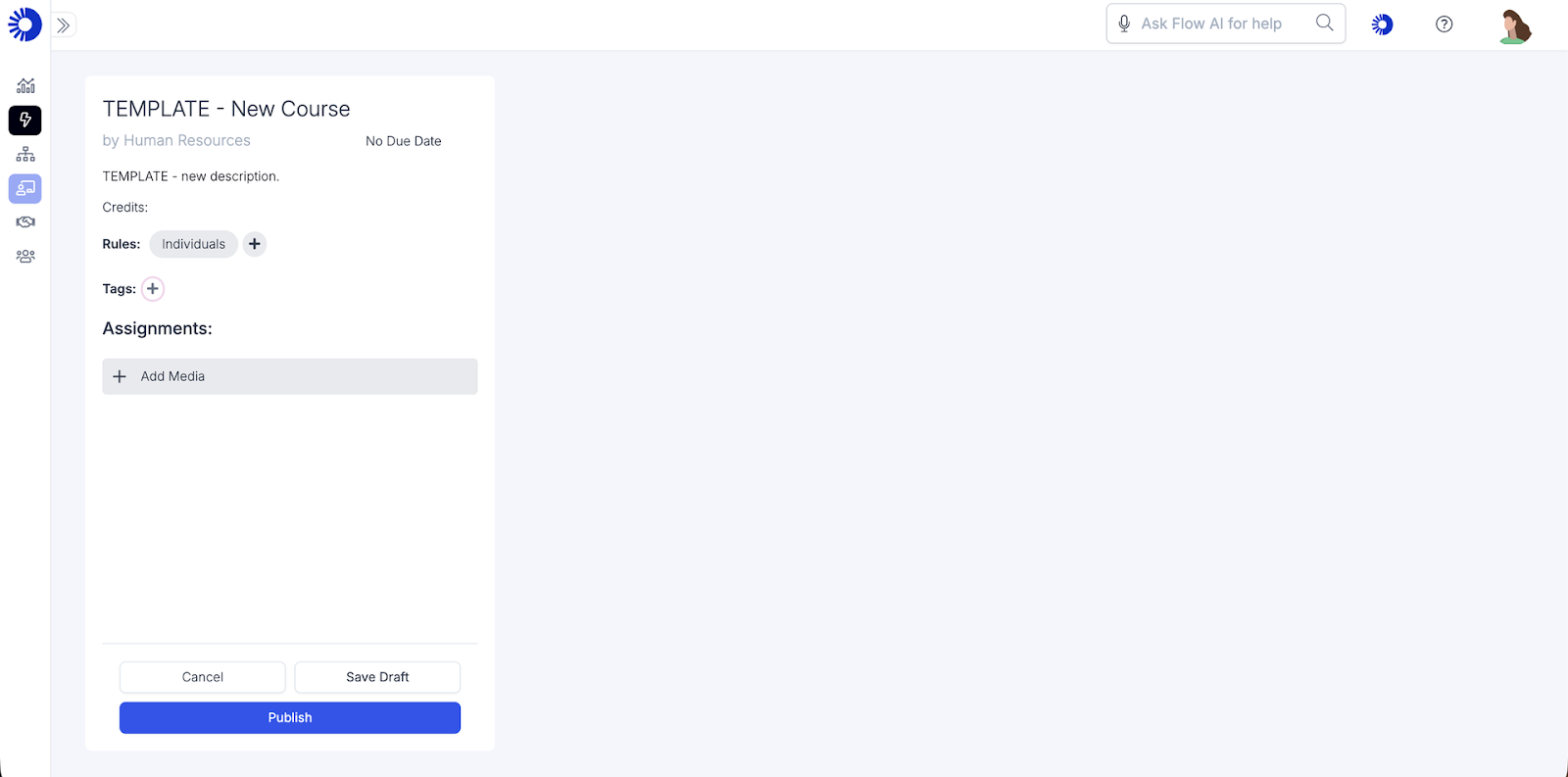
After creating the course, assign it to employees based on their roles and training needs.
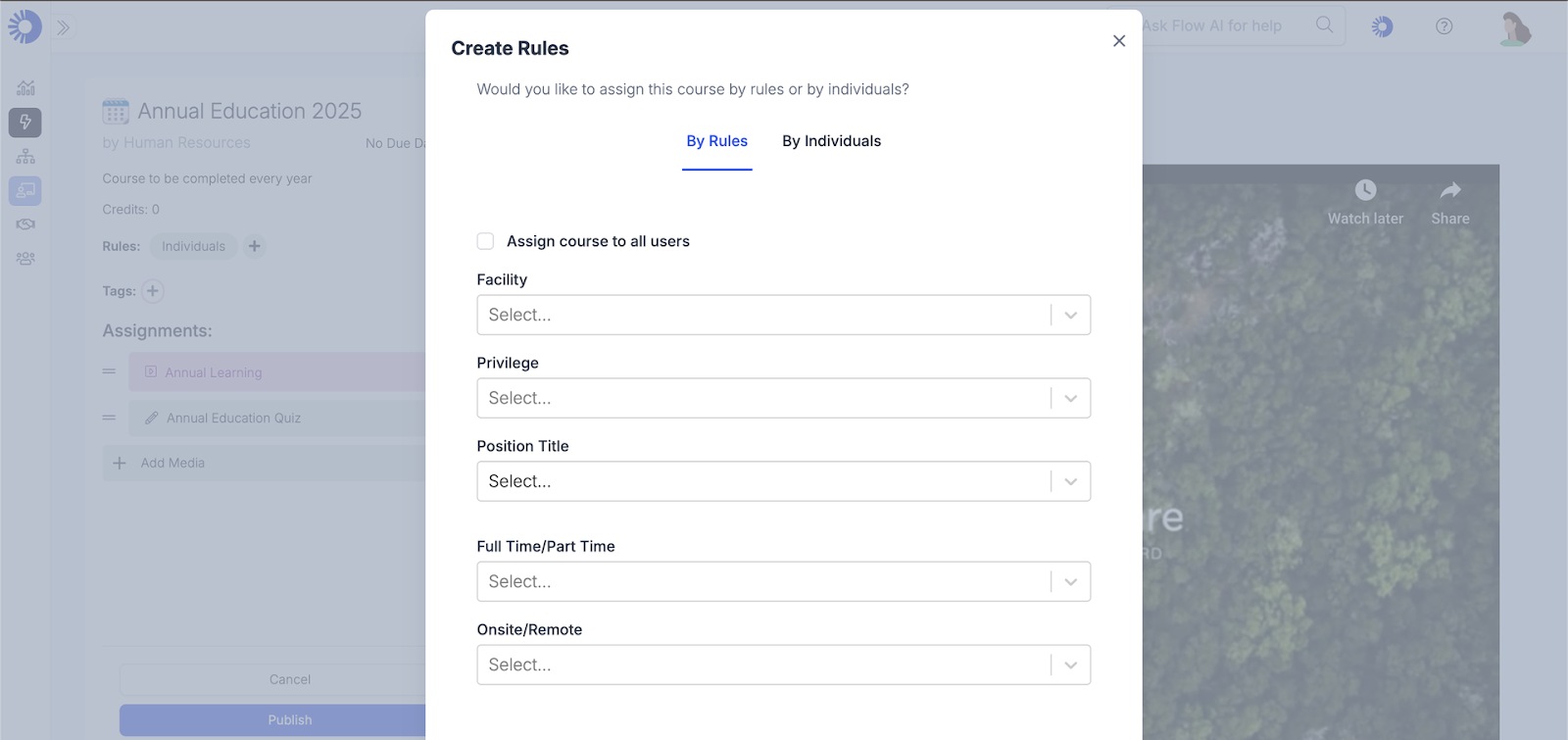
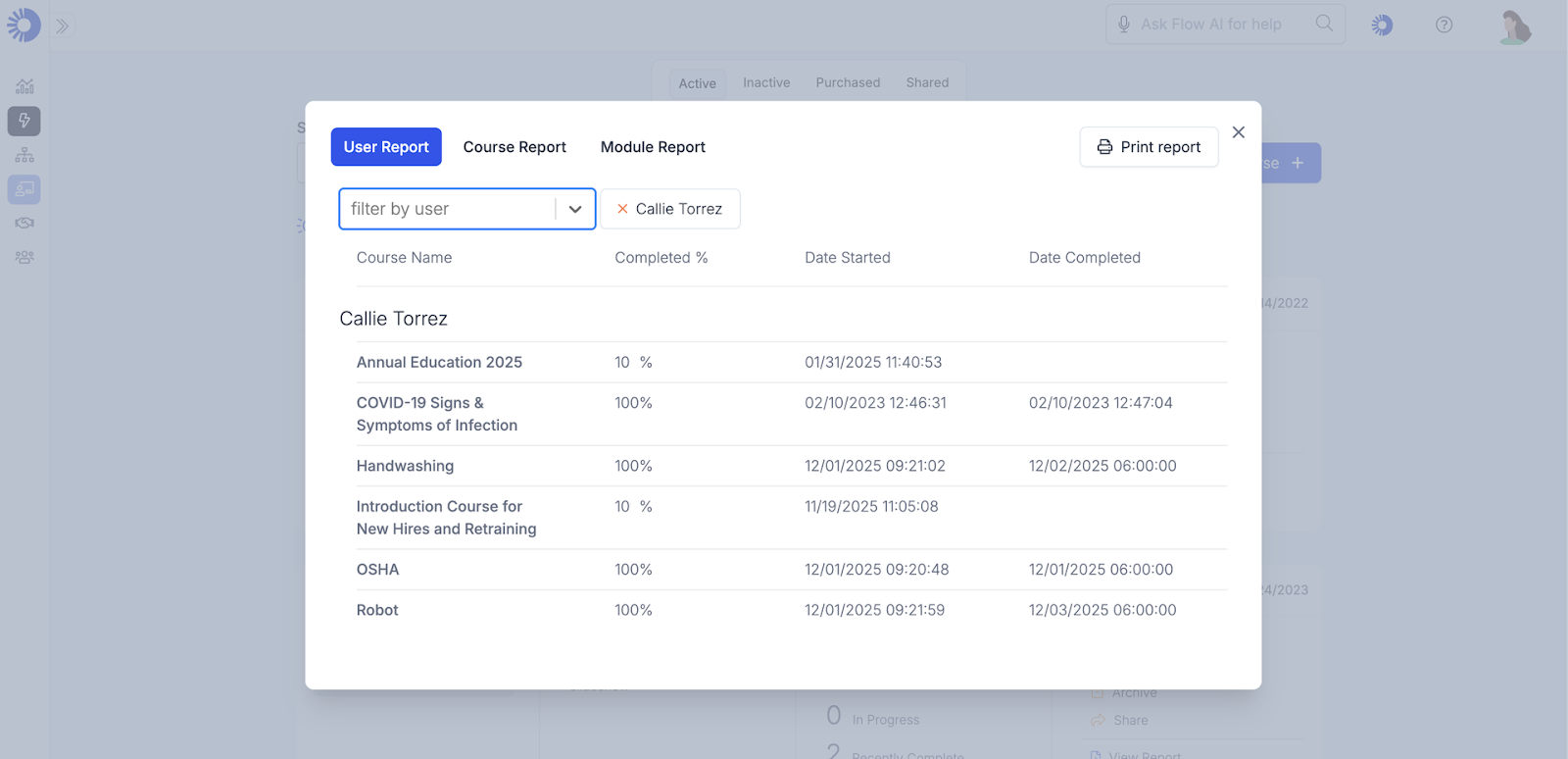
Ops.work also automates data analytics and reporting, whether you're tracking your credentialing process or the effectiveness of your onboarding training efforts. Here's a sample report you can generate:
Onboarding is not complete without feedback. You must provide and collect feedback from your new hires at different points in the onboarding process.
With ops.work, you can create and assign various feedback tools from employee satisfaction surveys to feedback forms.
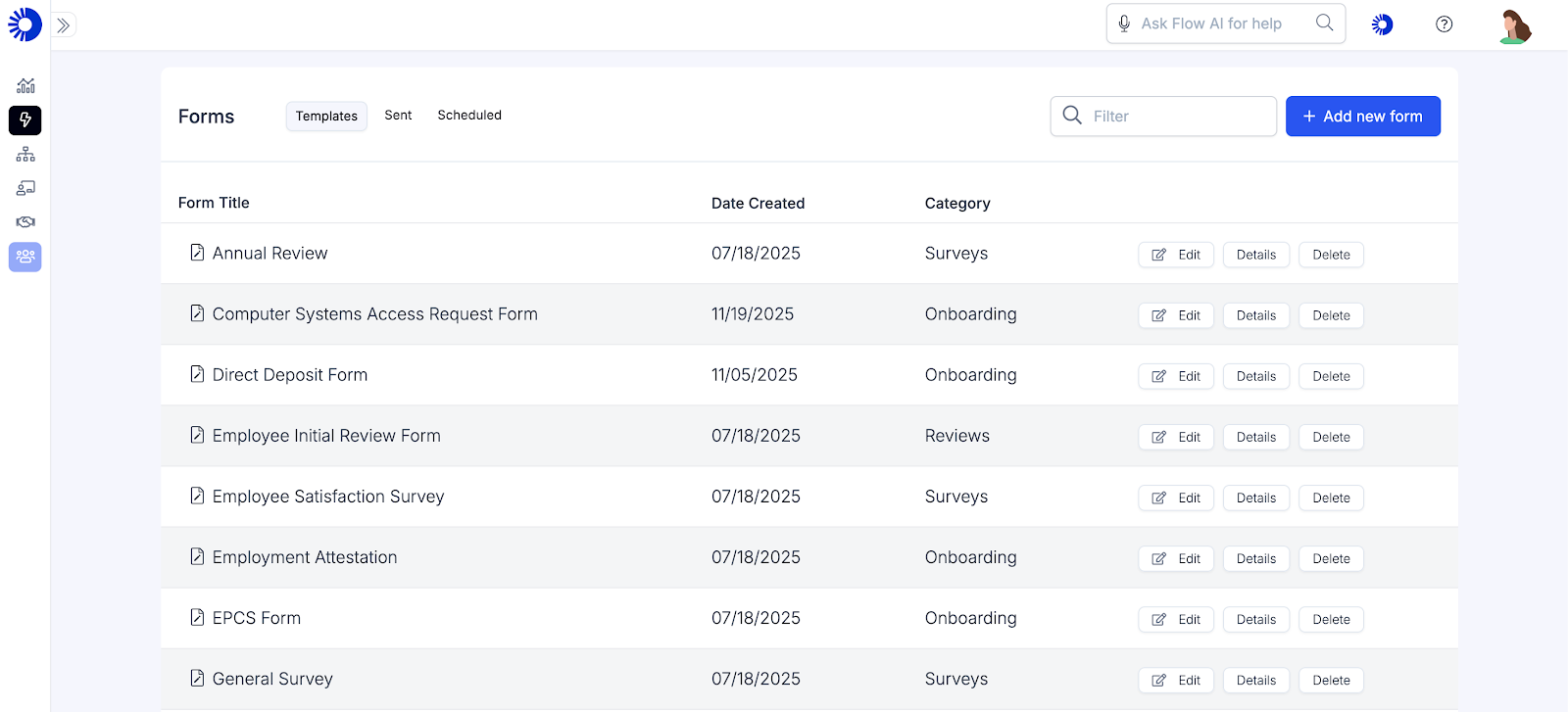
You can also access thousands of feedback templates with our Jotform integration. This integration is available on our paid and free plans.
Create Onboarding Checklists
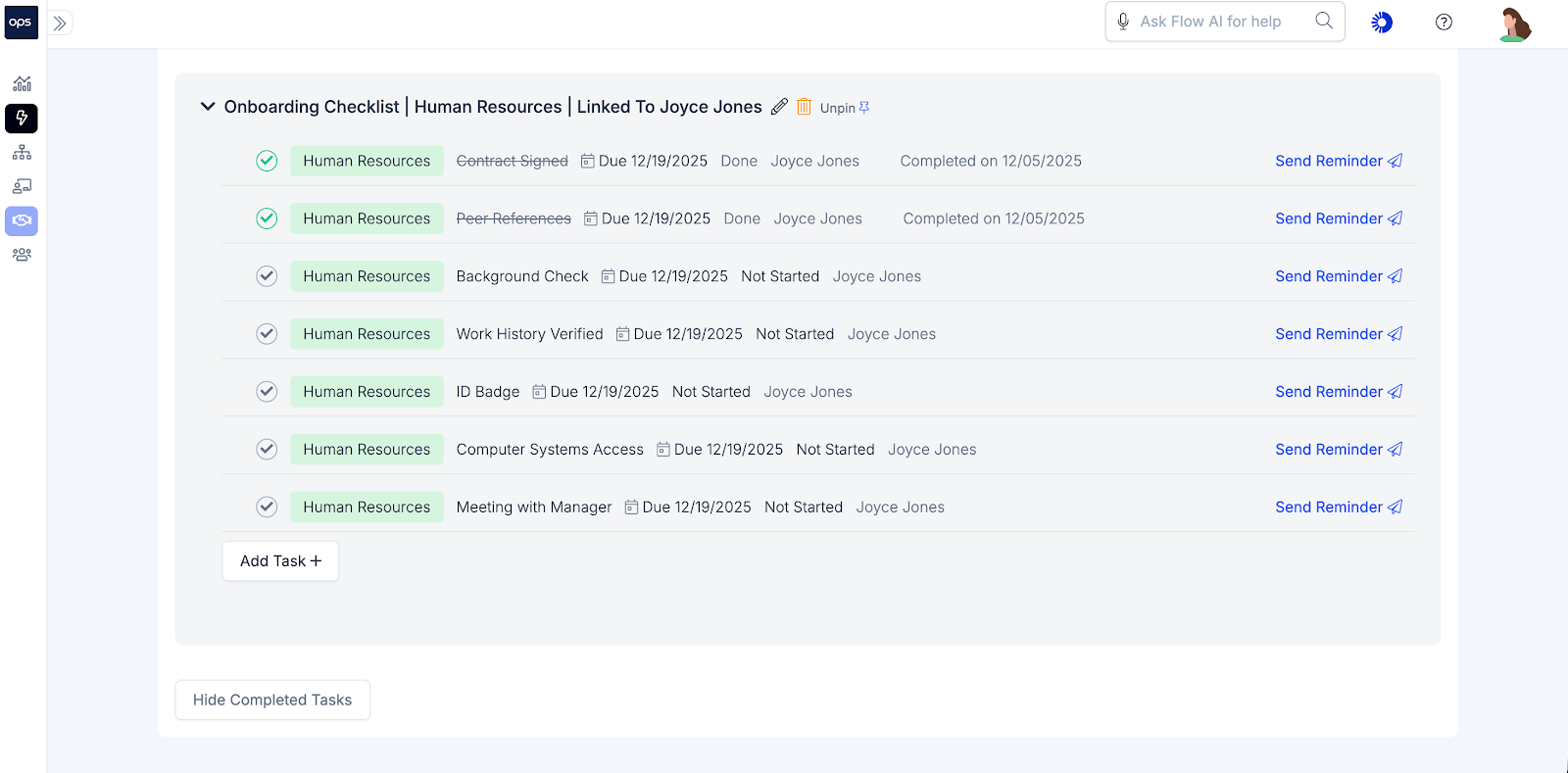
Checklists provide a structured framework for all the activities in employee onboarding. They can be general, outlining the basic tasks, or detailed, capturing the minute details of onboarding activities.
For healthcare facilities, these checklists ensure a consistent onboarding experience for all new hires, improve productivity, and facilitate compliance and documentation.
With ops.work, you can create various checklists, such as:
- A pre-hire checklist with all the activities that employees and hiring managers should complete before the first day
- A checklist of all the documents each employee must submit or sign before they start working
- An IT checklist of the systems and tools new hires need to succeed in their roles
- An orientation checklist with the activities, venues, and schedules of activities on the first day or week. Orientation activities include meeting new team members, facility tours, and setting goals and expectations for the first 90 days on the job.
- Cultural integration checklists that list the tools, resources, and training required to acclimate new hires to your company culture
Here's a sample onboarding checklist:
Create Standardized Onboarding Workflows
Onboarding in healthcare involves several steps which are crucial for both employee retention and regulatory compliance. Using a manual approach to complete these tasks is likely to cause errors, unnecessary delays, duplication, and poor visibility in onboarding tasks.
Using automation to streamline onboarding workflows makes it easier to provide a consistent employee experience and save time for your human resources team.
With ops.work, you can create a workflow for each task. You can use customizable workflows to guide stakeholders on their responsibilities in onboarding and the steps to complete for each process. Here's an example of a credentialing workflow:
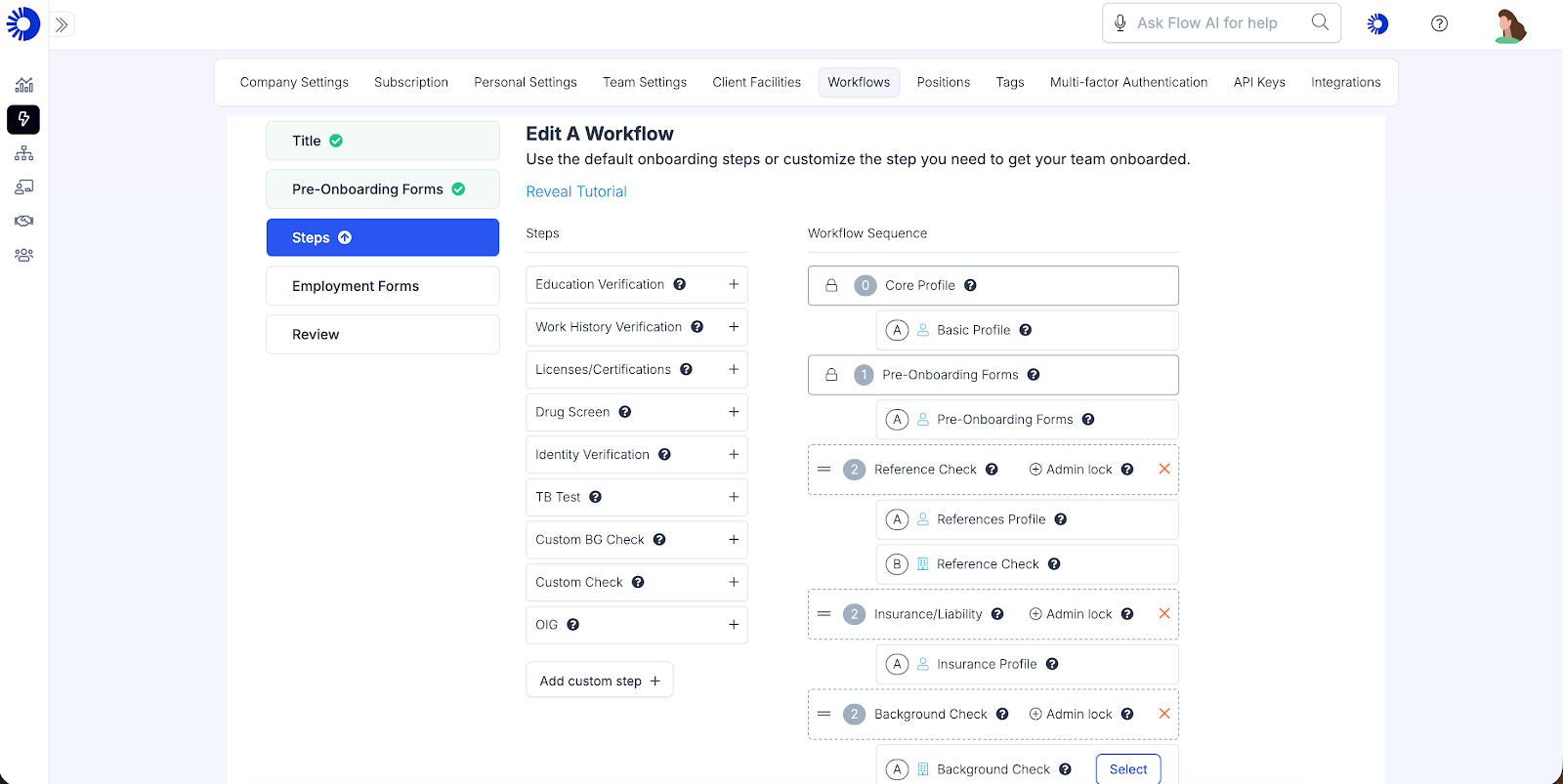
Once you have created the workflow, you break down the tasks included in each sequence and assign them to the relevant stakeholders.
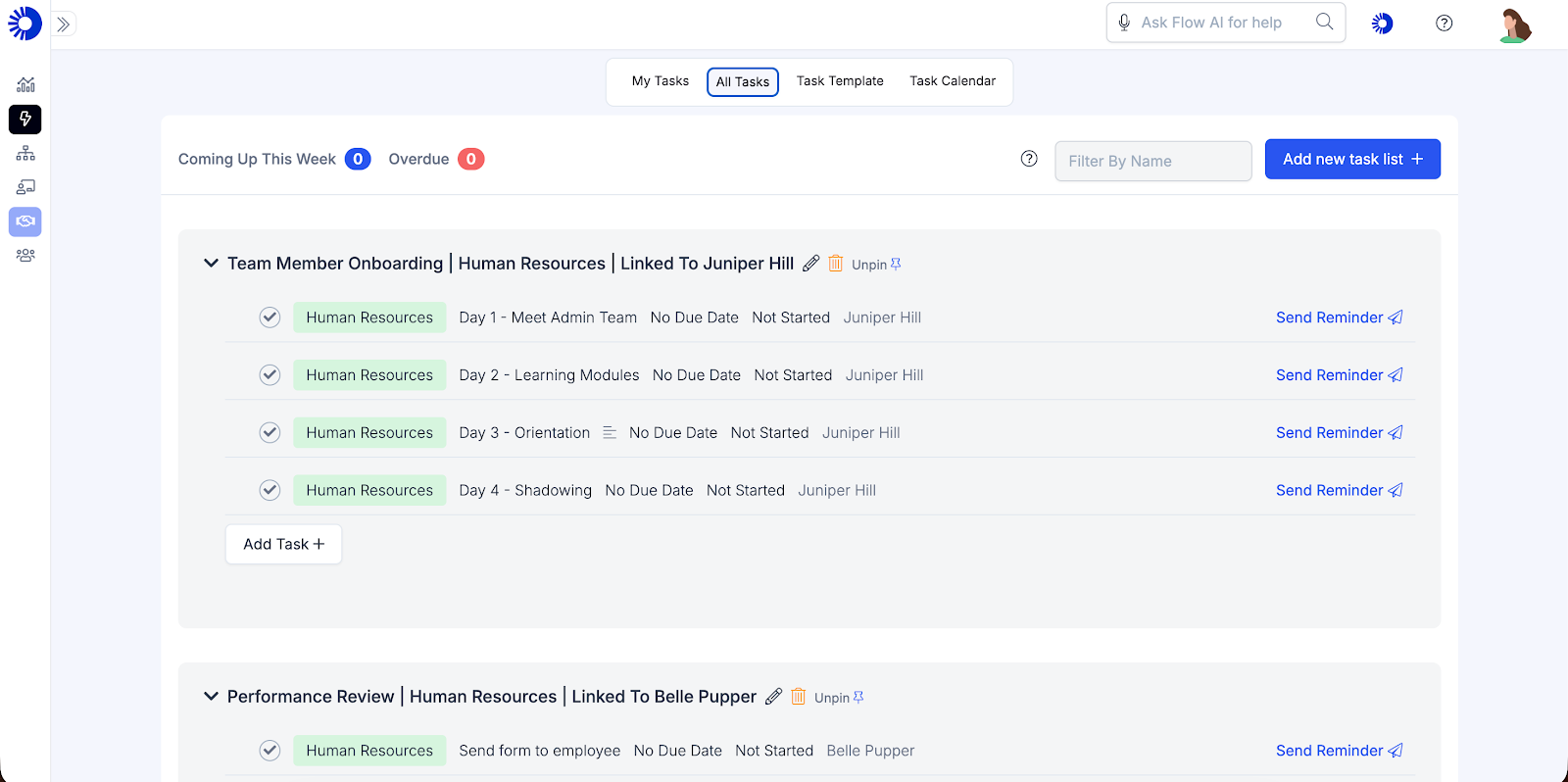
Ops.work's task creation dashboard lets you create tasks for different onboarding activities.
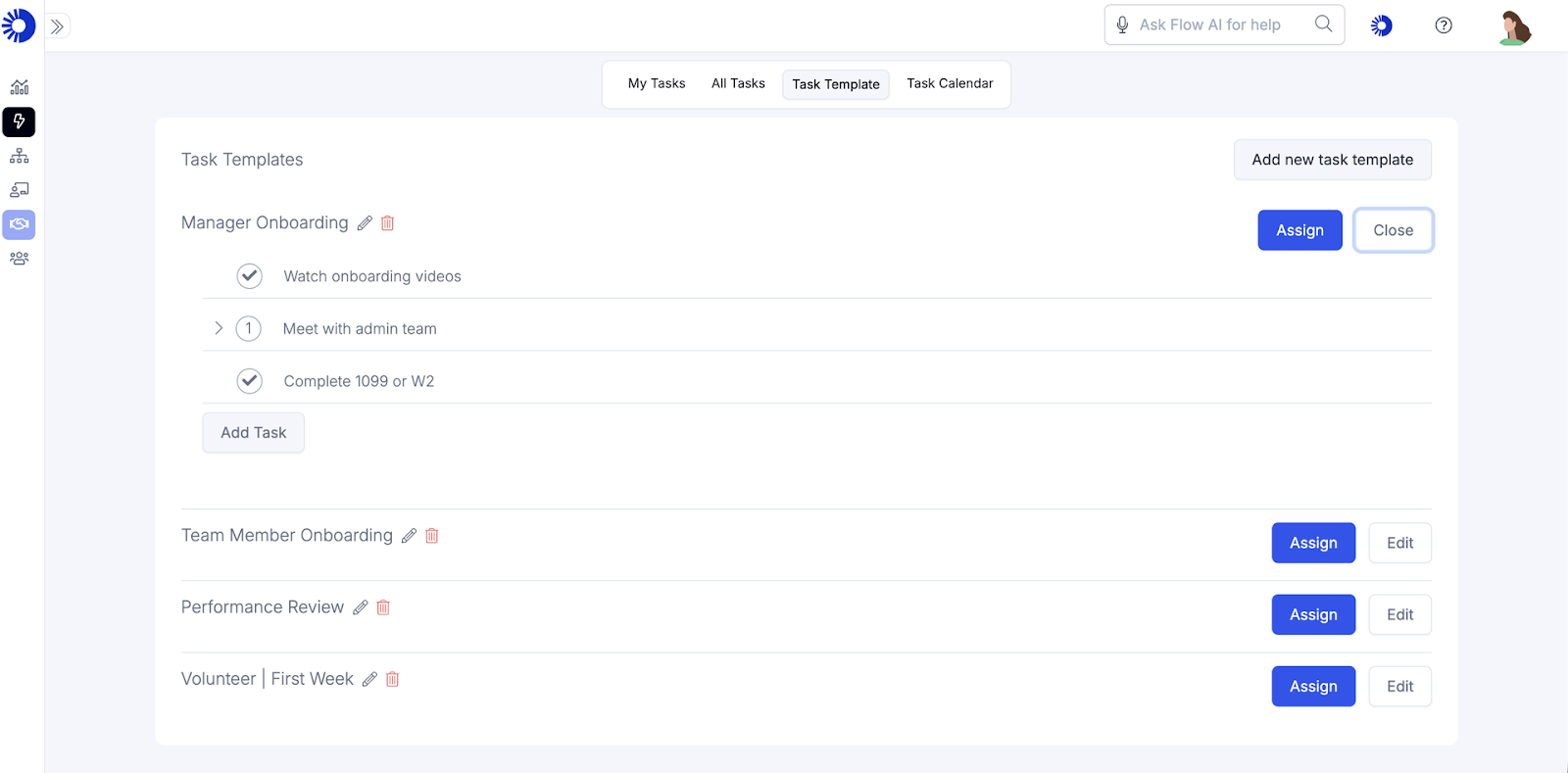
Once you've created the task, you can assign it to team members based on their job description and other preset rules:
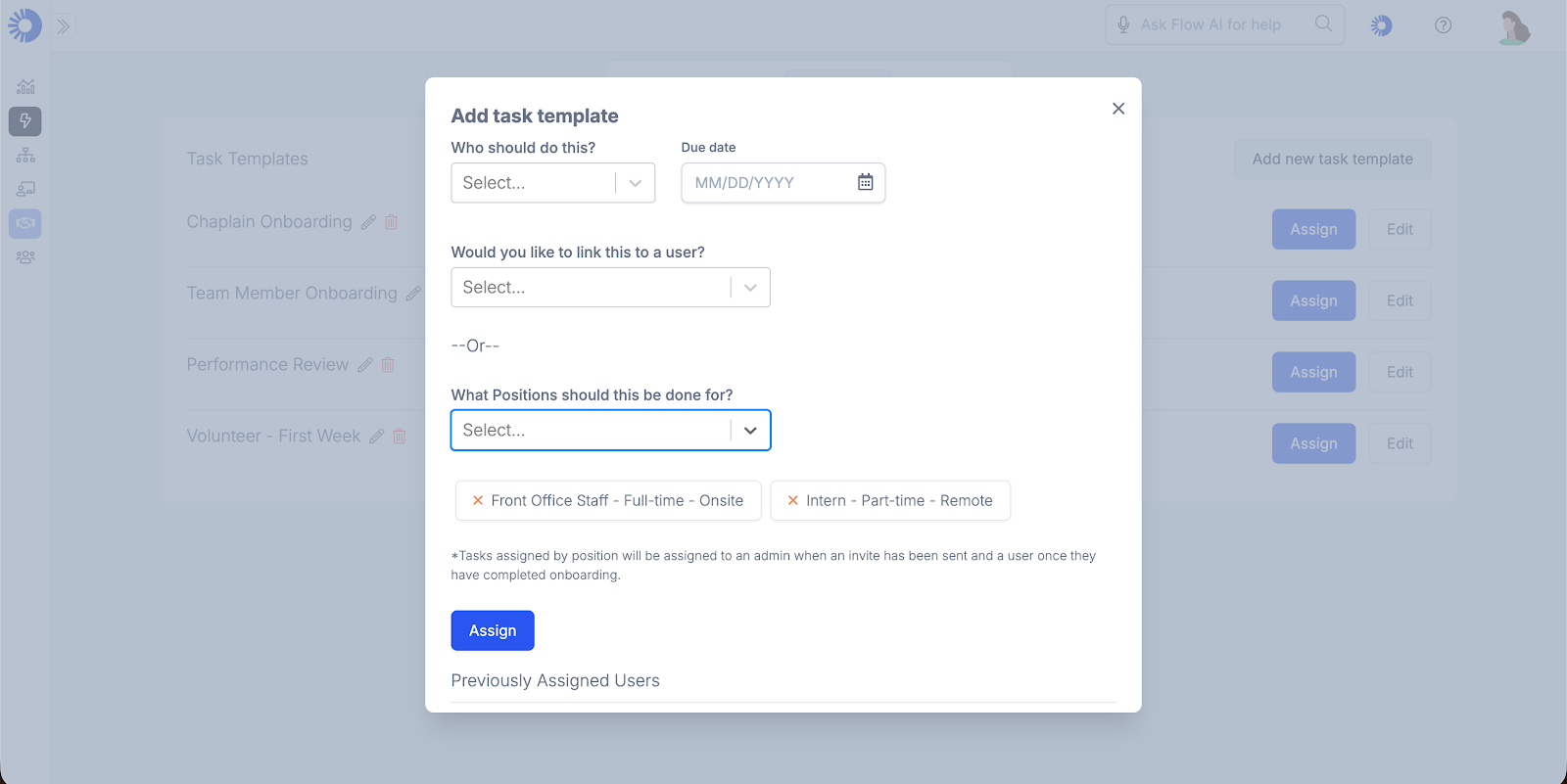
After assigning a task, you can track the progress on the task dashboard and send reminders as needed.
Integrate Your Onboarding Automation Tool with Existing Systems
While automation ensures onboarding flows smoothly, it can also create data silos if it doesn't integrate with your existing systems. Onboarding automation software should connect with your:
- HRIS system to provide a single and complete source of employee data
- Payroll system
- IT systems to facilitate access control, account creation, and equipment provision.
- Communication and team-building tools to facilitate onboarding activities, such as mentorship and feedback
- LMS integration for effective onboarding and development training
New Hire Automated Onboarding Best Practices
Automation is the best way to improve onboarding as it helps you track every onboarding activity. It facilitates a positive experience and streamlines the process of welcoming a new hire to your facility.
However, even the best automation can fail if you overlook certain best practices. Here are tips for successful automated onboarding:
- Use generative AI to streamline tasks like creating emails and follow-up messages
- Schedule regular in-person check-ins for accurate feedback on how new hires are integrating into your company
- Use a secure automation tool to prevent security risks and comply with HIPAA and other data protection regulations
- Use a chatbot to help employees answer basic questions that other new hires have during onboarding
Conclusion
Onboarding gives new hires a soft landing from their first day at a new job or department. Automation tools, such as ops.work, simplify the process, allowing you to provide new hires with a consistent experience, build a positive impression of your facility, and enhance their productivity. Try ops.work for free to improve your onboarding.
References
Reijers, Hajo A. Design and Control of Workflow Processes: Business Process Management for the Service Industry. Berlin; New York, Springer, 2003.
Nalband, Khushboo. “Employee on Boarding Process Automation.” International Journal of Engineering Research and Applications, vol. 7, no. 2, Mar. 2017, pp. 32–36, https://doi.org/10.9790/9622-0702043236.
Cabán, Teresa Zayas, et al. “Identifying Opportunities for Workflow Automation in Health Care: Lessons Learned from Other Industries.” Applied Clinical Informatics, vol. 12, no. 3, 1 May 2021, pp. 686–697, www.ncbi.nlm.nih.gov/pmc/articles/PMC8318703/, https://doi.org/10.1055/s-0041-1731744.
Frequently Asked Questions
- Compliance with internal and external regulations
- Confidence in the ability to perform tasks
- Connection with other employees
- Clarity in the duties and responsibilities of the employee's role
- Culture - integration with the organizational culture
Onboarding automation streamlines tasks such as preboarding, credentialing, orientation, training, engagement, and analytics. It achieves this by allowing HR to create process flows, checklists of what to expect on the first day in a new role or department, and tasks to complete within the first 90 days on the job.
You can measure the success of onboarding automation using metrics such as employee retention rates, productivity, performance, and task completion rates. Tools such as surveys are key when collecting data.
No. Some onboarding activities, such as task management, still need HR input to initiate or complete.